Unlock your creative potential with Photoshop Courses at UniProf
Photoshop is one of the most widely used tools for image editing, graphic design, and digital content creation. Whether you need it for university projects, presentations, social media content, or future career opportunities, learning Adobe Photoshop can give you a valuable advantage.
With UniProf, you can find a Photoshop course tailored to your needs and learn from an experienced tutor. Our courses are designed for students of all levels, from complete beginners to advanced users looking to improve their skills.
Why learn Photoshop with UniProf?🚀
Photoshop skills are highly valued in many academic fields and industries. Learning how to use the software effectively can help you create professional projects, improve your portfolio, and stand out in the job market.
Benefits of taking a Photoshop course with UniProf:
- Experienced and qualified tutors
- Online or in-person lessons
- Flexible scheduling around your studies
- Courses for beginners and advanced learners
- Practical exercises and real-world projects
- Personalized learning plans
- Learn from anywhere
Develop creative and technical skills that can support your academic and professional success.
What will you learn in a Photoshop Course?📚
Our Photoshop courses cover all the essential tools and techniques needed to work confidently with the software. Lessons are adapted to your goals, experience level, and areas of interest.
Photoshop Fundamentals🖥️
If you are new to Photoshop, you will start by learning the core features of the software.
Topics include:
- Understanding the Photoshop interface
- Using essential tools and panels
- Creating and managing files
- Working with layers
- Organizing projects efficiently
- Saving and exporting images correctly
These foundations will help you work more effectively as you progress to advanced techniques.
Professional Photo Editing✨
Photo editing is one of Photoshop’s most popular applications. During the course, you will learn how to enhance images and achieve professional results.
Key topics include:
- Adjusting brightness and contrast
- Correcting colors and tones
- Removing imperfections
- Retouching portraits
- Improving image sharpness
- Enhancing overall image quality
These skills are useful for academic work, creative projects, and professional portfolios.
Working with Layers and Masks🎭
Layers and masks are among the most powerful features in Photoshop.
You will learn how to:
- Work non-destructively
- Create and edit layer masks
- Remove backgrounds
- Combine multiple images
- Build complex compositions
- Manage professional design workflows
Mastering these tools will make your editing process more flexible and efficient.
Graphic Design and Creative Projects🎨
Photoshop is not only used for editing photos. It is also a powerful design tool used across many industries.
In your course, you may learn how to create:
- Posters
- Flyers
- Social media graphics
- Marketing materials
- Presentation visuals
- Portfolio projects
Your tutor will guide you through practical projects that help you apply your skills in real situations.
Common Mistakes Students Make When Learning Photoshop⚠️
Many learners face similar challenges when starting with Photoshop. Understanding these mistakes can help you learn more effectively.
1. Starting with Advanced Projects Too Early
Many students want to create professional designs immediately. However, without understanding the basics of layers, masks, and editing tools, complex projects often become frustrating.
Building a strong foundation first leads to faster progress in the long run.
2. Poor Layer Organization
One of the most common beginner mistakes is working with dozens of unnamed layers.
Disorganized files become difficult to edit and manage. In our courses, you will learn professional workflow techniques that keep projects clean and efficient.
3. Destructive Editing
Many beginners edit original images directly, making it difficult to undo changes later.
Our tutors teach non-destructive editing techniques using:
- Smart Objects
- Adjustment Layers
- Layer Mask
These methods are widely used by professional designers and photographers.
4. Not Practicing Enough
Watching tutorials alone is not enough to master Photoshop.
The best way to improve is through consistent practice and real projects. That is why UniProf courses focus on hands-on learning and practical exercises.
Who are these Photoshop Courses for?🎓
Our Photoshop courses are suitable for students from many different academic backgrounds, including:
- Graphic Design
- Marketing
- Media Studies
- Architecture
- Fine Arts
- Computer Science
- Business Studies
- Communication Studies
No previous Photoshop experience is required for beginner courses.
How to register for a Photoshop Course at UniProf📝
Getting started is simple and only takes a few minutes.
- Create Your Account
- Get Matched with a Tutor
- Schedule Your Lessons
- Start Learning
Start your Photoshop Journey with UniProf today🌟
Photoshop is a valuable skill for students who want to create professional-quality visual content, improve academic projects, and prepare for future career opportunities.
Whether you want to build an impressive portfolio, create eye-catching designs, or gain practical skills for your future career, UniProf can help you achieve your goals.
Finding a quality teacher has never been this easy!
3 simple steps to start your lessons!
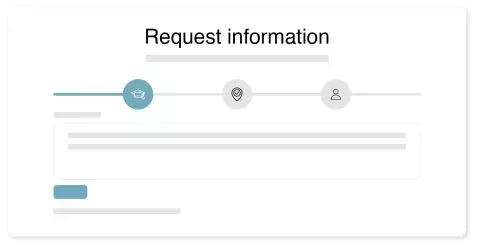
1. Sign up for free
Describe your request and learning goals. Sign up in group or individually.

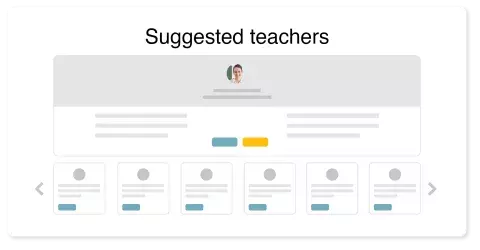
2. Choose between private lessons or join a group
You can join an existing learning group on your level or get a tailored lesson plan.
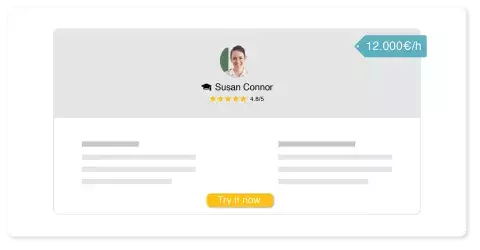
3. Start your lessons
After your first trial lesson you can decide whether or not to continue your lessons.
Verified education
We verify all education and teaching certificates of our teachers.
25.00€/h

Trinity College Dublin
Law and French
Sep 2013 - May 2017
Learned Irish and French law and received high grades. Undertook an Erasmus in France for one year where I obtained a Diploma of EU law. Upon obtaining my degree, I undertook an exchange to China for one semester and obtained a Diploma of Chinese law.
30.00€/h

University of Limerick
Law Plus Psychology
Sep 2011 - May 2015
General Batchelor of Laws degree completed Contract Law Criminal Law Constitutional Law EU Law Law of Torts Land Law Company Law Mooting
Verified work experience
Work experience is verified in a personal interview before a teacher can teach on our platform.
15.00€/h

JP MORGAN
Software engineer
Feb 2009 - present
Software engineer
20.00€/h

Higher Education Department Khyber Pakhtunkhwa Pakistan
Lecturer in physics
Nov 2014 - present
Lecturing physics

Prices Photoshop courses
The costs of lessons depend on the group size, location and topics.
Average price: 30.00EUR/h

Specialized teachers for any subject
We have teachers available for most subjects! Fill in a request and we provide you with a tailored course to your needs!
25.00€/h
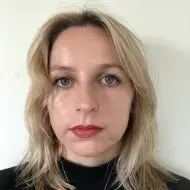
One-on-one Photoshop tutoring tailored to your level—learn professional techniques and teaching expertise.
Anna M.
BA Media (Joint Honours in Art History) NCAD, Ireland.
Bringing real-world industry insight from a year in the creative department of a multinational corporation, I translate professional design standards into engaging, classroom-ready learning.
As a Graphic Design teacher, I empower students to build strong visual communication skills and creative independence through hands-on, purposeful projects.
With a solid foundation in image editing software gained through university training, I deliver up-to-date, practical instruction in digital design tools that prepare students for today’s creative industries.
We provide tutors for any institution in your area
Some of the universities where our students and teachers studied:











Start your lessons today!
- Verified teachers
- See teacher reviews
- Flexible lessons and appointments
Trial lesson available!